Routines
A routine is a bundle of checks you run through together — and tap once to mark them all done. Pull the things you always do in the same breath into one place.
-
Bundle checks into a routine
On a checklist, tap "+ New routine" to start selecting. Pick the checks you always run together — "Select items for a routine" — then tap "Add N selected to a routine." Choose "New routine" and name it, or "Or add to an existing routine" to drop them into one you already have.
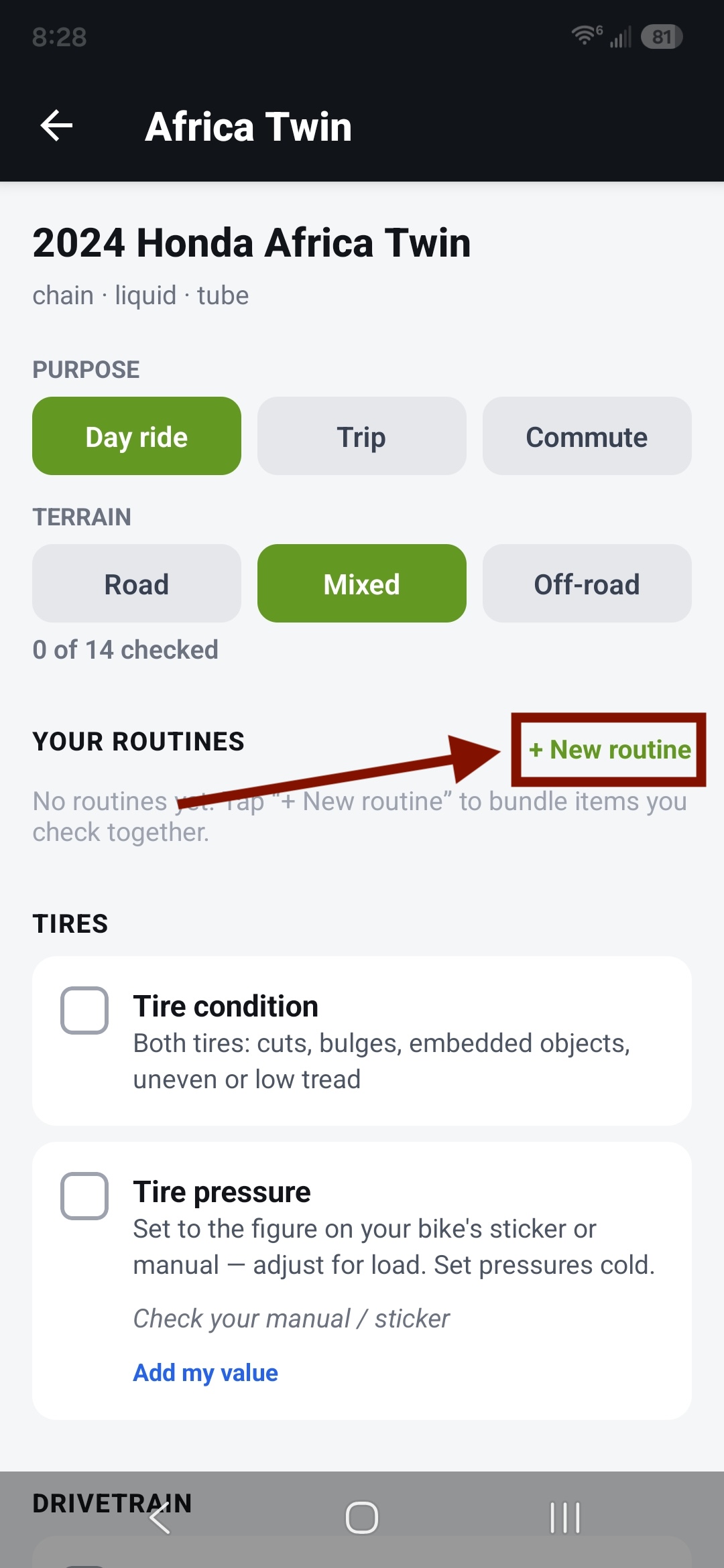
Click "+ New Routine" 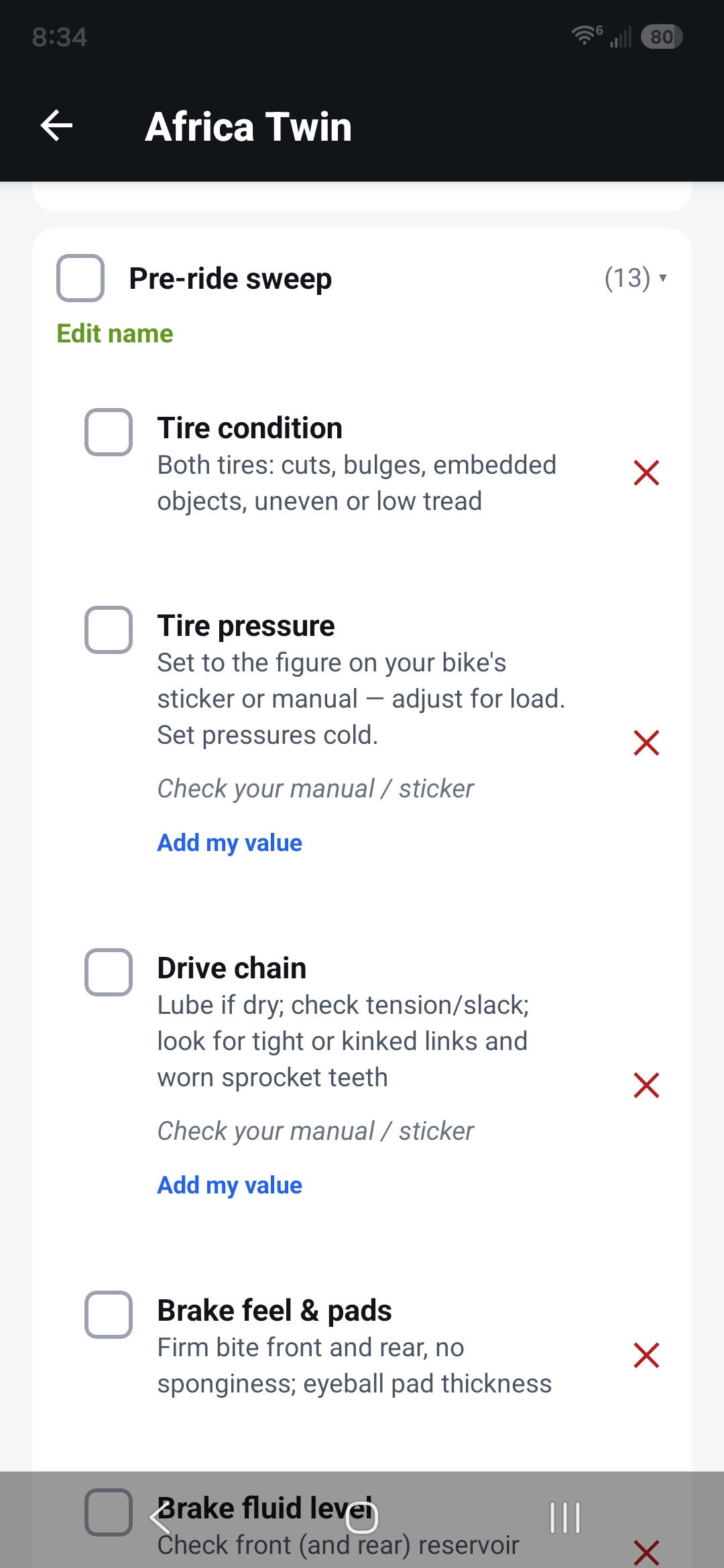
Select items for your new routine 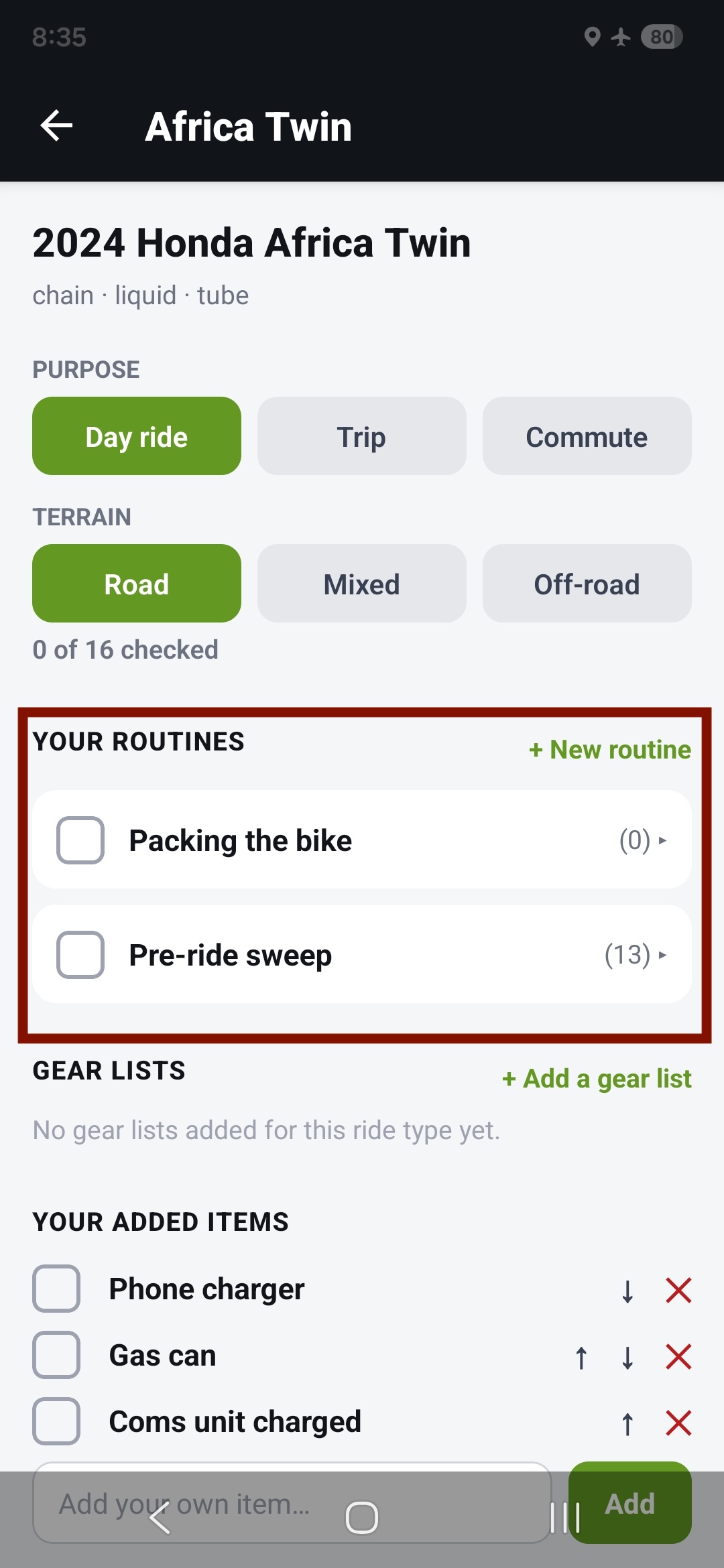
Name your routine and it will appear at the top of your checklist -
Add a whole gear list
A routine can hold a whole gear list, not just loose items. While selecting, tap "Select a whole gear list to add it to the routine." Once it's in, the gear list moves out of the "Gear lists" section and lives inside the routine as a collapsible block — it's in one place, not two. New to gear lists? See Customizing your checklist.
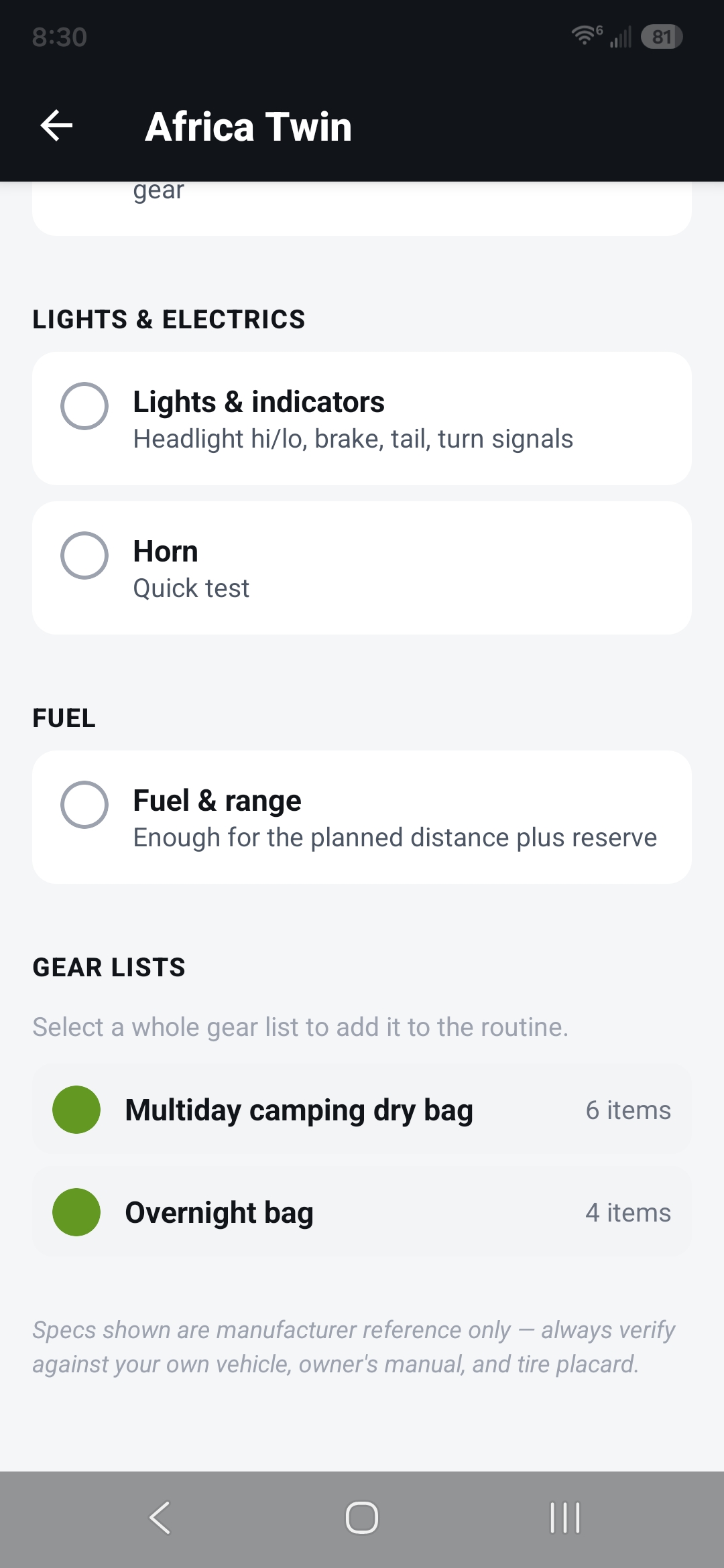
Adding a whole gear list to a routine 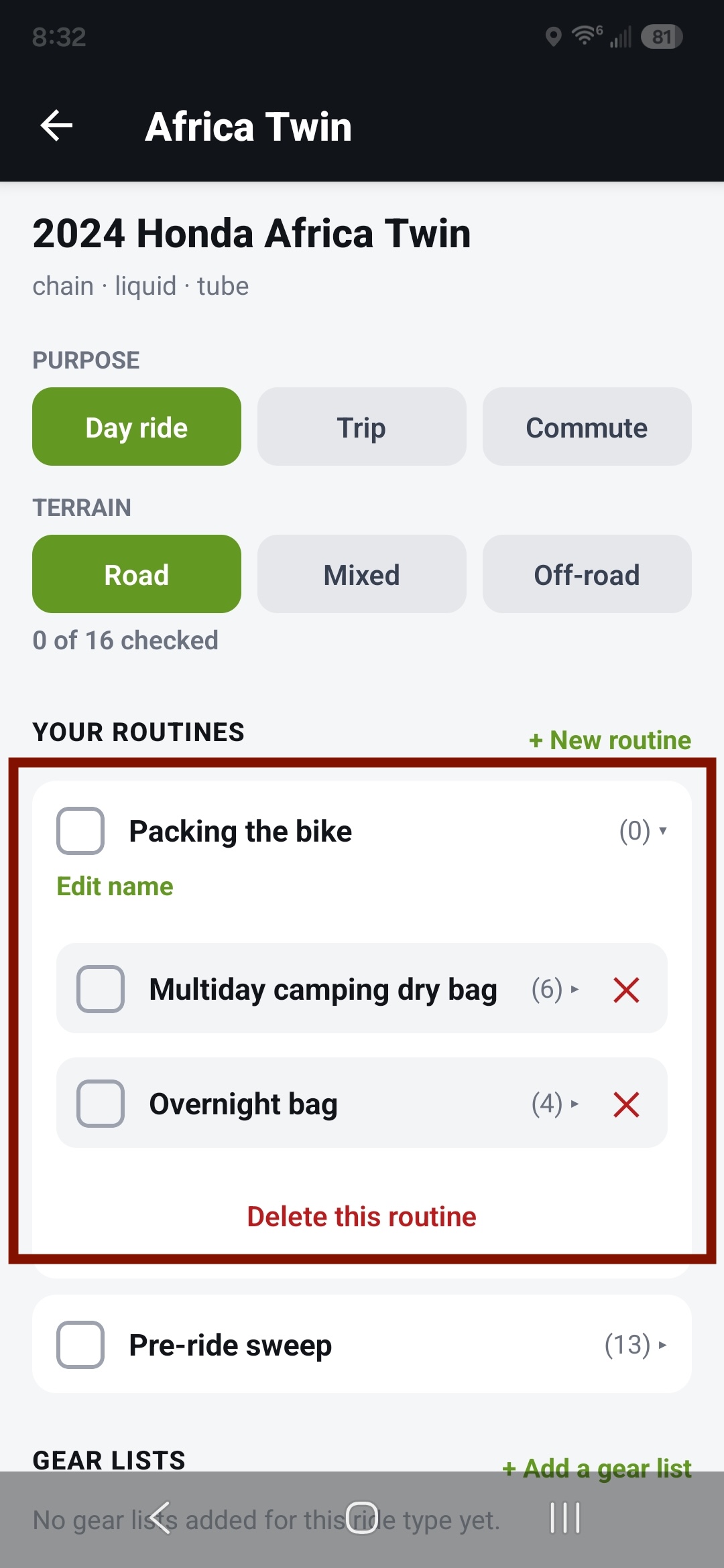
The gear list inside the routine, collapsible -
Check it all in one tap
Tap the routine's header to check — or uncheck — everything inside it at once, every item and every gear list. Expand the routine to work through its pieces one at a time instead.
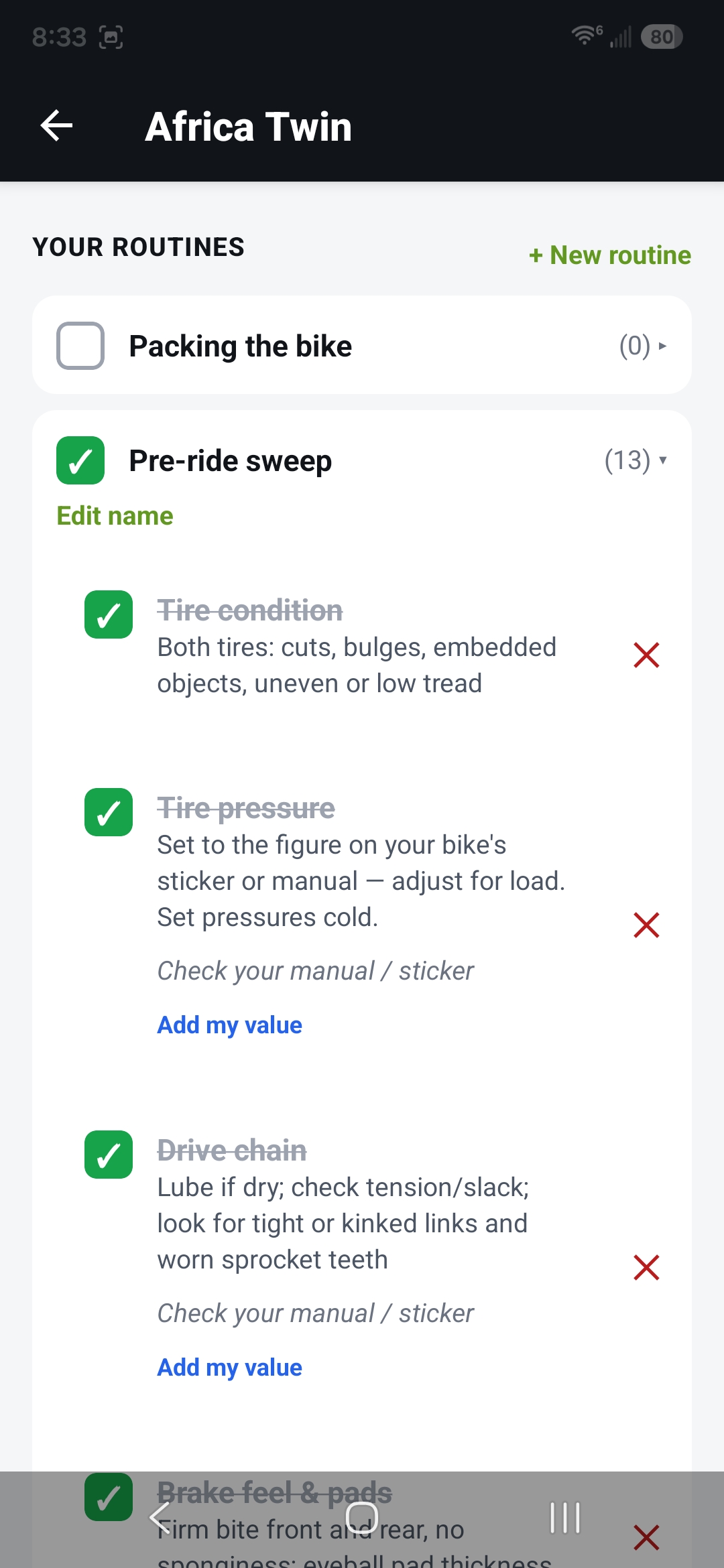
Tapping the header checks the whole routine -
Edit a routine
Expand a routine to change it. Remove a member with the ✕. "Delete this routine" clears the bundle but leaves the underlying checks on your checklist. If a gear list inside a routine was deleted from the bank, it shows "Gear list unavailable" — remove it with the ✕.
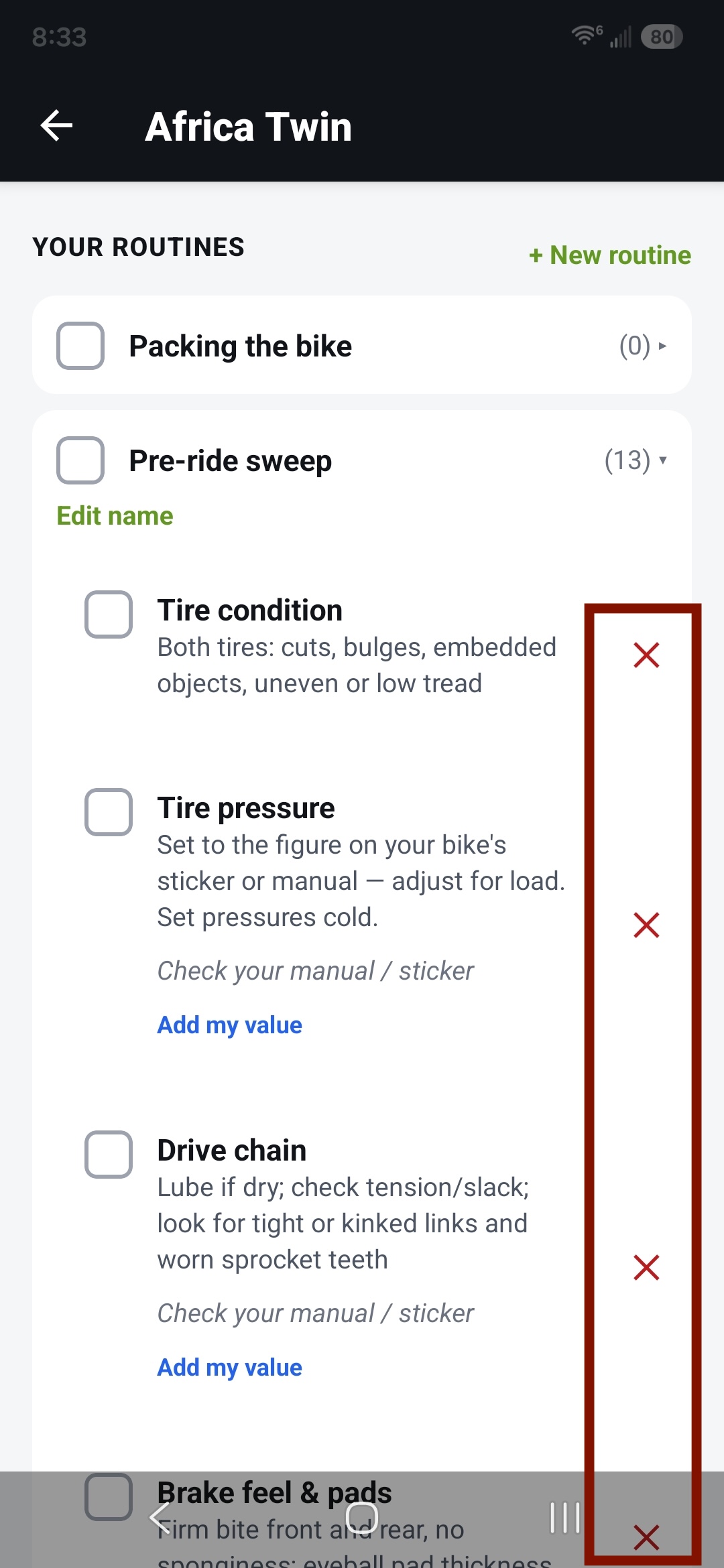
Removing an item